


Makeup Games For Kids: Salon
4.35.00 Reviews
App Specs
- Version
- 1.4
- Updated On
- License
- Free
- Downloads
- 100,000+
- Developer
- Bimi Boo Kids Learning Games for Toddlers FZ-LLC
- Categories
- Educational
- Platform
- Android
Screenshots
 Analysis by AppCompare
Makeup Games For Kids: Salon is best approached as a playful dress-up activity, not a deep beauty simulator or a structured lesson. I like the simple appeal: children can try out looks, make choices with color and style, and enjoy the feeling of running a tiny salon without needing real makeup or supplies. For a short creative break, that can be just the right amount of imaginative play. Its strongest point is how readily it invites a child to start; its main trade-off is that parents looking for a broad, carefully paced learning game may want more than a makeover-focused experience.
A small salon for short creative breaks
The game is an educational title from Bimi Boo Kids Learning Games for Toddlers FZ-LLC, aimed at young children. Its salon theme gives the play a familiar pretend-play frame: instead of facing an abstract set of tasks, a child can imagine choosing a look and styling a character. That makes it easy to understand what to do, even when a young player is not ready to follow written instructions or manage complicated menus.
I would use it for a specific kind of moment: a child wants to play independently nearby while an adult prepares dinner, waits through a quiet stretch, or needs a calm activity during a rainy afternoon. It can also work as a shared activity. A parent or older sibling can ask, “Which colors go together?” or “What kind of style should this character have?” and let the child make the decisions. The adult does not need to turn every tap into a lesson; talking through choices is enough to make the play more social.
One practical tip is to treat a finished look as a starting point for conversation rather than a score to beat. Ask the child to pick one detail they like, then try a different color or hairstyle and compare the two results. That simple before-and-after routine gives the activity a little structure without making it feel like homework. It is also a useful way to keep the child engaged if they tend to tap quickly through choices and move on.
What the salon theme does well
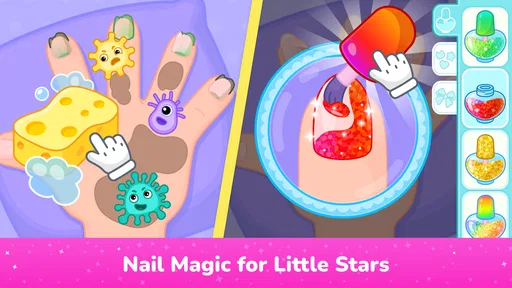
Unlike a general coloring app, a salon game gives children a character and a pretend role to build around. The appeal is not only selecting colors; it is imagining a complete style. Hair, makeup, and nails can become pieces of one creative decision, so a child gets to practice combining details instead of filling in a single picture. That makes the theme a natural fit for children who already enjoy dressing up dolls, choosing outfits, or inventing characters.
It is also a different kind of choice from many early-learning games that guide children toward matching, counting, or sorting. Those activities can be valuable, but they usually have a clear correct answer. A makeover activity is more open-ended: the child can choose a look because it is funny, bright, unusual, or simply their favorite. I see that freedom as a strength for imaginative play, while parents should not mistake it for a curriculum with defined learning goals.
To make a short session feel less repetitive, try giving the child a small creative prompt: make a look for a party, choose colors that feel cheerful, or create two contrasting styles. These are suggestions for how to play, not special modes the game promises. The benefit is that a little prompt can turn the same set of choices into a fresh challenge, especially for a child who otherwise repeats one favorite combination.
Worth Reading Before You Choose

Baby Panda World Brings Quick Play to Modern Phones, but Its Game Library Feels Busy

ESPN’s Live Game View Makes Following Close Games Easier

QuizzLand Review: A Good Fit for Short Trivia Breaks, Not Every Player

Basketball Stars: Multiplayer Is Fast, but Can It Recover When Matches Go Wrong?

WEBTOON Turns Phone Updates Into a Better Reading Routine

Link to Windows Runs on Shared Habits, Not Social Feeds
What parents should weigh before installing
The game is free to download, with in-app purchases listed at $5.99 per item. I would check the purchase settings on the device before handing it to a child, and make clear that paid content is something to ask an adult about. A free starting point can make it easy to try, but the possibility of purchases means parents should not assume every part of the experience is included at no cost.
It is intended for Everyone and described for children aged two and up, but age labels do not tell you whether a particular child is ready to play without help. A toddler may enjoy choosing between visual options while still needing an adult close by to guide taps or manage the device. For a preschooler who can navigate simple touch controls, the format may feel more independent. I would introduce it together first, then decide whether it suits the child’s attention span and level of supervision.
There is another useful distinction for parents: the game’s educational value is mostly in the act of choosing, experimenting, and using touch controls. It is not a substitute for hands-on art materials, where children can feel textures, draw their own shapes, or make a physical mess. If your goal is to develop pencil control or create something away from a screen, crayons, paper, and pretend salon play will do a different job. This app makes more sense as a convenient digital option than as a replacement for those activities.
How it fits beside other children’s games
Compared with a dress-up game centered mainly on clothes, this salon concept puts attention on personal styling. Compared with a coloring app, it offers a character-based makeover fantasy rather than an open canvas. Those distinctions make it easy to choose when a child specifically asks to play salon, but they also define the audience: a child who prefers puzzles, stories, construction, or action may not stay interested just because the interface is colorful.
For families choosing between this and a more structured educational game, I would base the decision on the moment you want to fill. Pick a learning game when you want clear tasks or practice in a particular skill; pick this one when you want imaginative, low-pressure choices around appearance and style. If a child already spends plenty of time on screen, a shared pretend game with toy brushes or paper “style boards” may be a better change of pace. The strongest use case here is a brief, supervised creative diversion, not a long session designed to replace varied play.
The title has an average rating of 4.4 from 722 ratings, and it has passed 100,000 installs. Those figures suggest that many families have tried it, but they cannot tell you whether your own child will enjoy its particular theme. I would treat the rating as a reason to consider it, not as a promise of lasting interest. The current version is 1.2, and it requires Android 7.0 or later, details worth checking against the device before installing.
One question parents often have is whether the game is suitable for a child to explore alone. I would not make that assumption based only on its age category. Start alongside the child, see how they move through the choices, and check that purchase controls on the device are set the way you want. Another reasonable question is whether it can hold attention for a long stretch: I would expect it to work best in short bursts, especially for children who enjoy makeovers, rather than relying on it as an all-afternoon activity.
First Impressions Matter
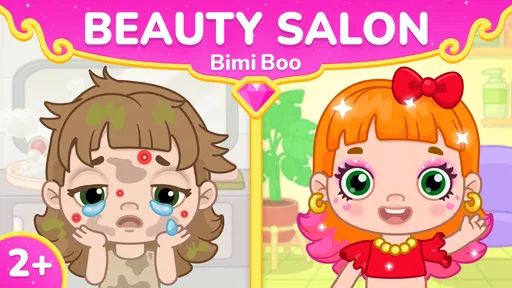
As soon as I opened the app, I was greeted by a vibrant and inviting interface. The graphics are bright and cheerful, instantly capturing the attention of any child (and even adults if I’m being honest!). The characters are whimsical and friendly, making the app feel like a safe space for kids to unleash their imagination.
Easy Peasy Navigation
One of the things I really appreciated was how user-friendly the app is. The navigation is intuitive, and everything is clearly laid out. Kids can easily tap through different options without feeling overwhelmed. The developers clearly put a lot of thought into making this app accessible to its young audience.
Creativity Unleashed
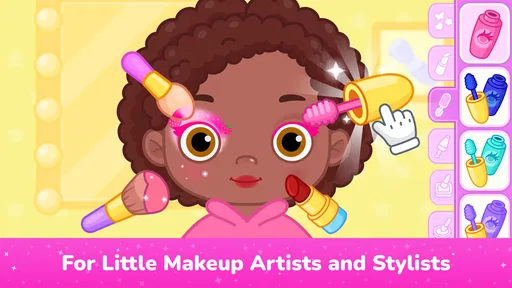
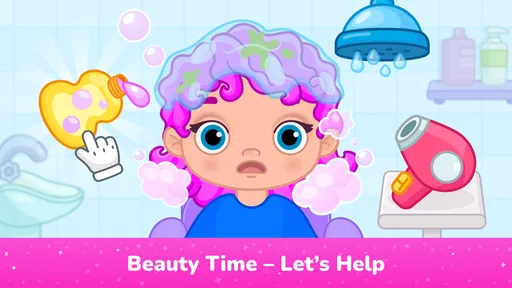
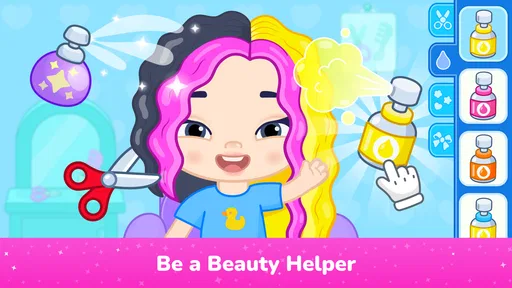
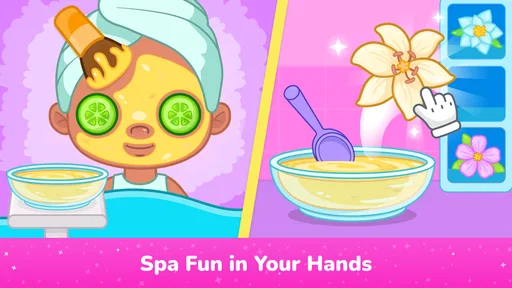
What truly sets Makeup Games For Kids: Salon apart is the sheer variety of options available. From choosing different hairstyles and colors to experimenting with various makeup looks, the app offers endless possibilities for kids to explore. It’s like having a mini-salon right at their fingertips.
Children can choose from a range of tools like brushes, lipsticks, and eyeshadows, giving them the freedom to create unique styles. The app also allows them to save their creations, which is a fantastic way to encourage them to keep experimenting.
Learning Through Play
Beyond the fun, there’s also an educational element to the app. Kids learn about color coordination, design, and even develop fine motor skills as they navigate through the different tools and options. It’s amazing how play can be such a powerful learning tool, and this app nails it.
Safe and Secure
In today's digital age, safety is a paramount concern for parents. Thankfully, Makeup Games For Kids: Salon takes this seriously. The app is free from ads and has parental controls in place, ensuring a secure environment for children to play without any unwanted interruptions.
Room for Improvement?
While the app is fantastic, there’s always room for improvement. I think adding more diverse characters or additional themed salons could enhance the experience even further. Perhaps seasonal updates or special events could keep the content fresh and exciting.
Final Thoughts
Overall, Makeup Games For Kids: Salon is a delightful app that offers both fun and educational value. It’s perfect for kids who love to play dress-up and experiment with different looks. Whether it’s a rainy day indoors or just a bit of creative downtime, this app is bound to keep them entertained. So, if you’re looking for something that combines creativity with learning, this app is definitely worth checking out.
Ready to let your kids dive into a world of color and creativity? You can download the app from the App Store or Google Play and watch as they transform into mini stylists!
Pros
- Fun and interactive gameplay for children.
- Wide variety of makeup and styling options.
- Intuitive controls suitable for young users.
- Encourages creativity and imagination.
- Vibrant graphics and engaging animations.
Cons
- Contains in-app purchases and ads.
- Limited free content without purchases.
- May require internet for some features.
- Some options may repeat often.
- Not educational
- purely for entertainment.
FAQs for Makeup Games For Kids: Salon
What age group is Makeup Games For Kids: Salon suitable for?
Makeup Games For Kids: Salon is designed for children ages 4 and up. The game features user-friendly controls and colorful graphics that appeal to young players, ensuring an engaging and safe experience. Parents can rest assured that the content is appropriate, focusing on creativity and fun without any inappropriate themes.
Does Makeup Games For Kids: Salon require in-app purchases?
The game offers a range of free features to enjoy; however, there are optional in-app purchases available. These can enhance gameplay by unlocking additional items or features. Parents may want to supervise or adjust settings to prevent accidental purchases by younger children.
Is an internet connection required to play Makeup Games For Kids: Salon?
While an internet connection is not essential to play the basic features of Makeup Games For Kids: Salon, some elements may require connectivity. For instance, accessing updates, additional content, or interactive features could necessitate internet access. Offline play is still enjoyable with the available content.
How does the game foster creativity in children?
Makeup Games For Kids: Salon encourages creativity by allowing children to experiment with different makeup styles, colors, and accessories. It provides a virtual platform where kids can freely express their artistic ideas and hone their design skills, fostering both creativity and confidence in their choices.
Are there any advertisements in Makeup Games For Kids: Salon?
Yes, the game may include advertisements, especially in the free version. These ads help support the developers and keep the basic app free for users. If ads are a concern, parents might consider the paid version, which typically offers an ad-free experience, enhancing uninterrupted gameplay.


